
Free Bedroom Planner
Enter your room measurements, arrange your bed and furniture, and see the spacing between nearby pieces before you move or buy anything.
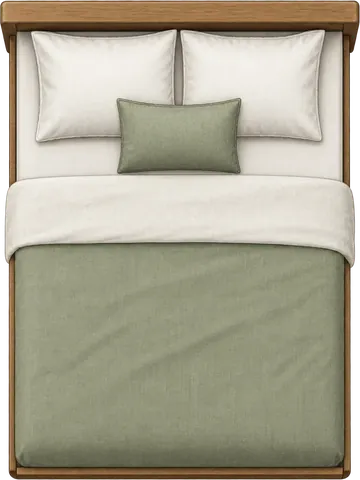

Share your exact layout
Save or share an image of the exact room layout you created, including its dimensions, furniture positions and any spacing measurements you’re showing.
Start from a bedroom size
Open one of these bedroom sizes with the room dimensions already set, then adjust the furniture and measurements to match your space.
9x10 Bedroom Layout
Test a compact 9 ft × 10 ft bedroom with full, queen, and king bed presets.
10x10 Bedroom Layout
Check what fits in a common 10 ft × 10 ft bedroom before adding extra furniture.
10x12 Bedroom Layout
Compare bed sizes and furniture placement in a 10 ft × 12 ft bedroom.
11x12 Bedroom Layout
Plan an 11 ft × 12 ft bedroom with space for a bed, storage, or a compact desk.
12x12 Bedroom Layout
Test furniture positions in a square 12 ft × 12 ft bedroom layout.
12x14 Bedroom Layout
Explore a larger 12 ft × 14 ft bedroom with queen, king, desk, and wardrobe options.
Or start with the bedroom problem you are solving
These pages focus on a specific constraint rather than one exact room size.
Small Bedroom Layout
Compare compact bed, desk, and storage setups when every inch of room width and furniture depth matters.
Master Bedroom Layout
Plan a larger bedroom around king or queen beds, nightstands, storage, and an optional workspace.
Bedroom Office Layout
Test a bed, desk, chair, and storage in the same room so the sleeping and work zones fit together.
Square Bedroom Layout
Compare bed and furniture orientation in a square room with equal wall lengths.
What This Bedroom Planner Checks
Use the planner to check the details that affect the arrangement: furniture dimensions, spacing between nearby pieces, overlaps, the door swing, and window position.
Furniture Fit
Test whether your bed, wardrobe, desk, nightstand, or custom item fits inside the room without overlapping other furniture.
Door Clearance
Check whether furniture blocks the door opening or interferes with the door swing area.
Spacing Measurements
Turn on spacing view to see the edge-to-edge distance between nearby furniture directly on the layout.
Plan the Bedroom in a Few Steps
Use the tool when you are changing bed size, adding storage, or checking how much space remains between the furniture you need.
Add Room Size
Enter your bedroom width and length, then match the door and window to your room.
Place Furniture
Move, rotate, resize, or add furniture items.
Measure the Spacing
Use Around bed or All gaps to measure clearances, then check overlaps and the door swing.
Not sure where to place the furniture?
See a seven-step example that starts with the bed, adds storage and smaller pieces, checks clearances, and compares a second arrangement.
Bedroom Planner FAQs
Quick answers about checking bedroom furniture fit, bed size, spacing, door clearance, and window placement.
Is this bedroom planner free to use?
Yes. The bedroom planner is free to use in your browser. You do not need to sign up, install software, or create an account.
Can I check if a bed will fit before buying it?
Yes. You can test common bed sizes, add the other furniture you need, and compare the spacing between nearby pieces before buying or moving anything.
Does the bedroom planner use real measurements?
Yes. You can enter room and furniture dimensions using metric or imperial units, then move and resize items directly on the layout.
Can I add my own furniture dimensions?
Yes. You can add custom furniture items and edit dimensions so the planner matches your actual bedroom furniture more closely.
Does it check door clearance?
Yes. The planner helps you see whether furniture blocks the door opening or interferes with the door swing area.
Can I measure the space between furniture?
Yes. After arranging at least two furniture items, use Around bed or All gaps to see measured clearances directly on the layout.
Can I add or move a window in the bedroom planner?
Yes. You can place the window on a wall and adjust its position and width so the plan more closely matches your actual bedroom.
Check Your Bedroom Layout First
Test bed sizes, furniture placement, door swing, window position, and spacing before you buy or move furniture.