
Is RoomFitPlanner free to use?
Yes. RoomFitPlanner is free to use in your browser and does not require signup or installation.
Check if your furniture fits before you move or buy it.
Enter the dimensions of your room instead of working from a generic template.
Resize, rotate, and move the pieces to match what you own or plan to buy.
See the edge-to-edge distance between nearby furniture on the layout.
Spot furniture overlaps and conflicts with the door swing.
Simple, fast and free. No installation required.
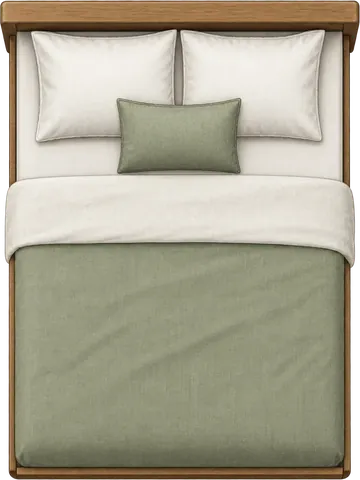
Arrange top-view furniture inside a room that matches your measurements.
Enter the measurements that matter, arrange the pieces, and inspect the spacing without building a full 3D room.
Start from your room dimensions or open a bedroom size that is already set up for you.
Change the dimensions, rotate items, and move them into the positions you want to test.
Measure nearby furniture spacing, check overlaps, and match the door swing and window position to your room.
Enter your own bedroom dimensions, or start from a bedroom size and adjust the layout from there.
Enter your room size, add or resize furniture, and measure the spacing between nearby pieces directly on the layout.
Start from a small bedroom, master bedroom, bedroom office, square room, or an exact size such as 9x10 or 12x14, then adjust the layout to match your room.
Use your actual room and furniture dimensions to see where everything fits, what feels tight, and how much usable space is left.
Enter the dimensions from the product page and place the item inside your real room size.
See the furniture together with the door swing and window so you can spot awkward placements before moving anything.
Turn on spacing measurements to check clearances around the bed or every open gap in the room.
Copy its width and length into RoomFitPlanner and check the fit before you place the order.
Compare furniture at the dimensions you enter.
Keep the door swing and window visible while arranging.
Check measured gaps instead of guessing from a floor plan.
Clear answers about measurements, spacing, furniture fit, and using the planner on different devices.
Yes. RoomFitPlanner is free to use in your browser and does not require signup or installation.
RoomFitPlanner is focused on furniture fit rather than full interior design. Enter the room dimensions, arrange the furniture you need, and compare the spacing directly on the layout.
Yes. Enter your room and furniture dimensions, arrange the pieces, and check overlaps, the door swing, window position, and spacing between nearby items before you buy or move anything.
Yes. You can work in metric or imperial units and edit both room and furniture dimensions.
After arranging at least two furniture items, turn on spacing view to see the edge-to-edge distance between nearby pieces. The measurements update as you move furniture.
No. RoomFitPlanner uses a top-view 2D layout so you can focus on furniture dimensions, placement, spacing, overlaps, the door swing, and window position.
Yes. The planner works in the browser on desktop, tablet, and mobile without installing an app.
Enter your measurements, arrange the furniture, and inspect the spacing and room openings before you buy, move, or rearrange anything.